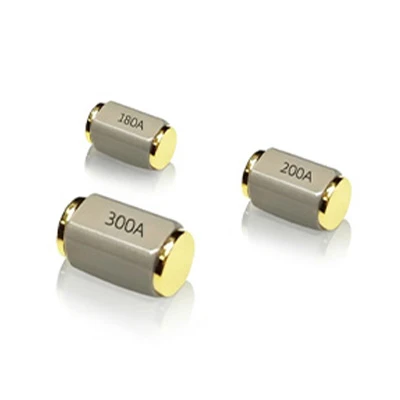
Hey there, fellow tech enthusiasts! If you're into electronics and automation, you've probably come across the need to connect a roll ball sensor switch to a microcontroller. Well, you're in the right place! As a roll ball sensor switch supplier, I've got the lowdown on how to make this connection a breeze.


First off, let's talk about what a roll ball sensor switch is. It's a nifty little device that can detect movement, tilt, or rotation. Think of it as a super-sensitive detective that can tell when things are moving around. These switches are used in all sorts of applications, from toys and gaming controllers to industrial machinery and security systems.
Now, why would you want to connect a roll ball sensor switch to a microcontroller? Well, a microcontroller is like the brain of an electronic system. It can process information, make decisions, and control other components. By connecting a roll ball sensor switch to a microcontroller, you can turn the simple detection of movement into something much more useful. For example, you could use it to trigger an alarm when a door is opened, or to control the movement of a robot based on its orientation.
So, how do you actually connect a roll ball sensor switch to a microcontroller? Let's break it down step by step.
Step 1: Gather Your Materials
Before you start, you'll need to gather a few things. You'll need a roll ball sensor switch, of course. We offer a great selection of these, like the Rotation Sensor Switch CSX-SEN-360A-30U, the Angle Switch Sensors CSX45, and the Position Detecting Tilt Sensor CSX90. You'll also need a microcontroller, like an Arduino or a Raspberry Pi. Plus, you'll need some jumper wires to make the connections, and a breadboard to help you organize everything.
Step 2: Understand the Sensor Switch
Each roll ball sensor switch is a bit different, so it's important to understand how yours works. Most roll ball sensor switches have two or three pins. One pin is usually for power, one is for ground, and the third (if there is one) is for the signal. The power pin is usually marked with a "+" or "VCC", the ground pin with a "-" or "GND", and the signal pin with something like "SIG" or "OUT".
Step 3: Connect the Power and Ground
The first thing you'll want to do is connect the power and ground pins of the sensor switch to the microcontroller. Connect the power pin of the sensor switch to the 5V (or 3.3V, depending on your sensor's requirements) pin on the microcontroller. Then, connect the ground pin of the sensor switch to the GND pin on the microcontroller. You can use the jumper wires to make these connections. Just stick one end of the wire into the appropriate pin on the sensor switch, and the other end into the corresponding pin on the microcontroller.
Step 4: Connect the Signal Pin
Next, you'll need to connect the signal pin of the sensor switch to one of the input pins on the microcontroller. This is the pin that will carry the information about whether the switch is open or closed. For example, if you're using an Arduino, you can connect the signal pin to one of the digital input pins, like D2 or D3.
Step 5: Write the Code
Now that you've got the hardware connected, it's time to write the code. The code will tell the microcontroller what to do when it receives a signal from the sensor switch. Here's a simple example of code you could use with an Arduino:
const int sensorPin = 2; // Connect the sensor signal pin to digital pin 2
int sensorValue;

void setup() {
  pinMode(sensorPin, INPUT);
  Serial.begin(9600);
}

void loop() {
  sensorValue = digitalRead(sensorPin);
  Serial.println(sensorValue);
  delay(100);
}
This code simply reads the value of the sensor pin and prints it to the serial monitor. If the switch is closed, the value will be HIGH (1), and if it's open, the value will be LOW (0).
Step 6: Test Your Connection
Once you've written the code, upload it to the microcontroller. Then, open the serial monitor on your computer. You should see the values changing as you tilt or move the sensor switch. If you don't see any changes, double-check your connections and make sure the code is working correctly.
Troubleshooting
If you run into any problems, don't worry. Here are a few common issues and how to fix them:
- No signal: If you're not getting any signal from the sensor switch, check your connections. Make sure the power, ground, and signal pins are all connected correctly. Also, check that the sensor switch is working properly by testing it with a multimeter.
- Inconsistent readings: If the readings are inconsistent, it could be due to electrical interference. Try using shielded wires or moving the sensor switch away from other electronic components.
- Wrong values: If the values you're getting are wrong, check the code. Make sure you're reading the correct pin and that the code is set up to handle the sensor's output correctly.
Conclusion
Connecting a roll ball sensor switch to a microcontroller is a fun and useful project. It can open up a whole world of possibilities for your electronics projects. Whether you're a hobbyist or a professional, these steps should help you get started.
If you're interested in purchasing roll ball sensor switches for your projects, we'd love to talk to you. We offer high-quality sensors at competitive prices, and our team is always here to help you with any questions or technical support you might need. Just reach out to us to start a conversation about your requirements.
References
- Arduino Documentation
- Microcontroller Datasheets
- Roll Ball Sensor Switch User Manuals