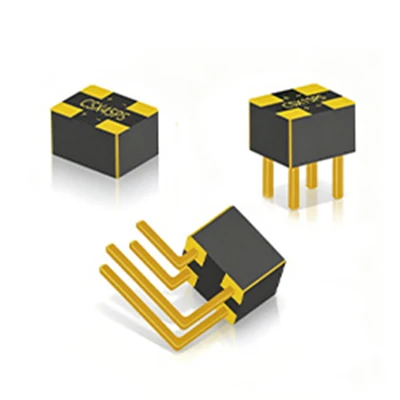
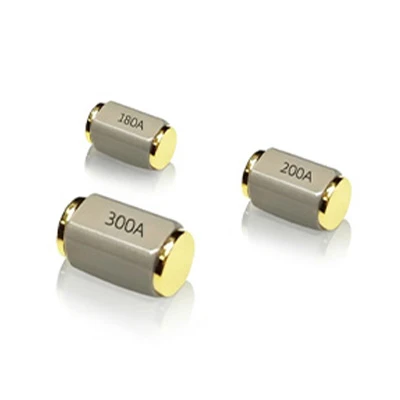
Hey there! I'm an inclination switch supplier, and today I'm gonna share with you how to program an inclination switch. It's a pretty cool and useful device, and understanding how to program it can open up a whole world of possibilities for your projects.
What is an Inclination Switch?
First off, let's quickly go over what an inclination switch is. An inclination switch, also known as a tilt switch, is a device that detects the orientation or tilt of an object. It can sense when an object is tilted in a certain direction and then trigger an action based on that tilt. These switches are used in a wide range of applications, from simple toys to complex industrial machinery.
Why Program an Inclination Switch?
Programming an inclination switch allows you to customize its behavior according to your specific needs. You can set it to trigger different actions based on different tilt angles, which can be super handy for creating interactive projects, security systems, or even automation in industrial settings.


Getting Started with Programming
Before you start programming, you'll need a few things. First, you'll need an inclination switch. As a supplier, I can offer you a variety of high - quality inclination switches, like the Roll Ball Sensor Switch BTS45, the Inclinometer Tilt Sensors S645B, and the Position Detecting Tilt Sensor CSX90.
You'll also need a microcontroller. Popular choices include Arduino, Raspberry Pi, or even a simple PIC microcontroller. These microcontrollers are great because they're easy to work with and have a large community of developers sharing code and projects.
Understanding the Basics of Programming
The first step in programming an inclination switch is to understand how it works. Most inclination switches work based on the principle of electrical conductivity. When the switch is tilted in a certain direction, a conductive element (like a ball or a liquid) moves and closes an electrical circuit, which can then be detected by the microcontroller.
Let's take an example using an Arduino microcontroller. First, you'll need to connect the inclination switch to the Arduino. Usually, one pin of the switch is connected to the ground, and the other is connected to a digital input pin on the Arduino.
// Define the pin connected to the inclination switch
const int tiltPin = 2;

void setup() {
  // Initialize serial communication for debugging
  Serial.begin(9600);
  // Set the tilt pin as an input
  pinMode(tiltPin, INPUT);
}

void loop() {
  // Read the state of the inclination switch
  int tiltState = digitalRead(tiltPin);

  if (tiltState == HIGH) {
    // The switch is tilted
    Serial.println("Tilt detected!");
  } else {
    // The switch is not tilted
    Serial.println("No tilt detected.");
  }

  // Add a small delay to avoid reading too fast
  delay(100);
}
In this code, we first define the pin that the inclination switch is connected to. In the setup function, we initialize the serial communication for debugging and set the tilt pin as an input. In the loop function, we read the state of the switch using digitalRead. If the switch is tilted, it will read HIGH, and we print a message saying that tilt is detected. Otherwise, we print a message saying no tilt is detected.
Advanced Programming
Once you've got the basics down, you can start doing more advanced programming. For example, you can set different actions based on different tilt angles. Some inclination switches can detect multiple tilt angles, and you can use this information to trigger different functions.
Let's say you want to create a simple game where the player has to tilt a device to move a character on the screen. You can use the inclination switch to detect the tilt and then use that information to control the movement of the character.
// Define the pin connected to the inclination switch
const int tiltPin = 2;
// Define the threshold for tilt detection
const int tiltThreshold = 5;

void setup() {
  Serial.begin(9600);
  pinMode(tiltPin, INPUT);
}

void loop() {
  int tiltValue = analogRead(tiltPin);

  if (tiltValue > tiltThreshold) {
    // Tilt to the right
    Serial.println("Tilted to the right!");
    // Here you can add code to move a character right
  } else if (tiltValue < -tiltThreshold) {
    // Tilt to the left
    Serial.println("Tilted to the left!");
    // Here you can add code to move a character left
  } else {
    // No significant tilt
    Serial.println("No significant tilt.");
  }

  delay(100);
}
In this code, we're using analogRead to get a more precise value of the tilt. We set a threshold value, and if the tilt value is above or below the threshold, we can detect a tilt to the right or left respectively.
Troubleshooting
When programming an inclination switch, you might run into some issues. One common problem is false readings. This can happen if the switch is not properly calibrated or if there is electrical interference. To fix this, you can try adding a pull - up or pull - down resistor to the switch connection.
Another issue could be that the switch is not sensitive enough. You can try adjusting the sensitivity by changing the threshold values in your code or by using a different type of inclination switch.
Conclusion
Programming an inclination switch can be a fun and rewarding experience. It allows you to create all sorts of cool projects, from simple toys to complex industrial applications. As a supplier, I'm here to provide you with high - quality inclination switches and support you in your programming journey.
If you're interested in purchasing inclination switches for your projects or have any questions about programming them, feel free to reach out. We can have a chat about your specific needs and find the best solutions for you.
References
- Arduino official documentation
- Microcontroller datasheets
- Online forums and communities for electronics and programming